Man Talk may earn a commission when you buy through links on this page. That never changes what gets recommended, and it never changes the price you pay.
Miyoo Mini Plus vs. TrimUI Brick: Which One to Buy
The Miyoo Mini Plus vs TrimUI Brick matchup is the most common head-to-head in budget retro gaming right now. Here is the short version. Buy the Miyoo Mini Plus, at around $65, for the most polished software experience under $100. OnionOS makes it the easiest handheld to live with. Buy the TrimUI Brick, at around $80, for the sharpest screen in the class and clearly stronger hardware. Its 1024×768 panel and quad-core chip outmuscle the Miyoo on every spec sheet line. The catch is that specs alone decide less than most buyers expect. Screen size, firmware maturity, button feel, and wireless features all pull in different directions here. One device even lacks Bluetooth entirely. This comparison walks through each factor using published specifications and documented owner consensus, not marketing claims. No hands-on testing is claimed anywhere on this page. By the end, the right pick for your pocket, your game library, and your $65 to $80 should be obvious. Both are good purchases. Only one is the right purchase for you.
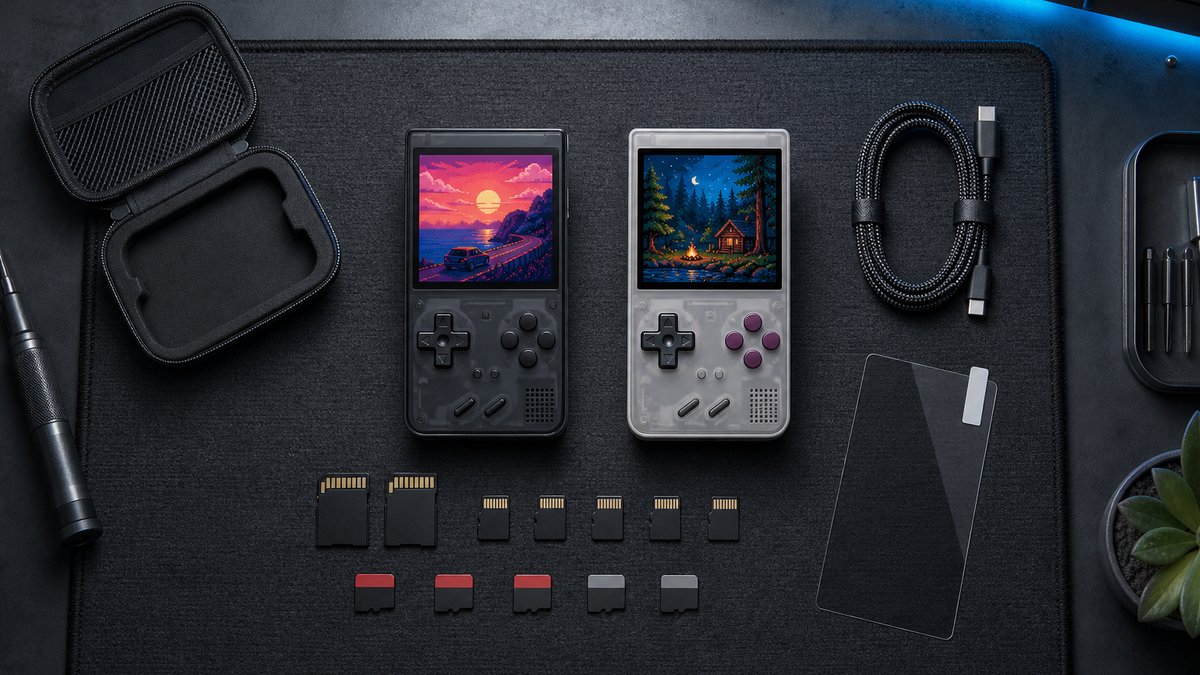
The head-to-head at a glance
The Miyoo Mini Plus, at around $65, wins on software polish, screen size, and price. The TrimUI Brick, at around $80, wins on resolution, processing power, memory, and wireless features. The table below shows how differently the two devices are built.
| Spec | Miyoo Mini Plus | TrimUI Brick |
|---|---|---|
| Typical price | ~$65 | ~$80 |
| Screen | 3.5" IPS, 640×480 | 3.2" IPS, 1024×768 |
| Pixel density | ~229 PPI | ~400 PPI |
| Chip | SigmaStar SSD202D, dual-core Cortex-A7 | Allwinner A133P, quad-core Cortex-A53 |
| RAM | 128MB | 1GB |
| Battery | 3000mAh | 3000mAh |
| Wireless | 2.4GHz WiFi only, no Bluetooth | Bluetooth + dual-band WiFi (2.4 and 5GHz) |
| Community firmware | OnionOS | CrossMix OS |
| Emulation ceiling | PS1 | PS1 solid, playable N64, Dreamcast, PSP |
Prices on both devices move by $10 or more between sellers and sales. Treat the numbers above as typical street prices, not guarantees. The real-world gap between them usually lands between $10 and $20. That sum buys a meaningful hardware upgrade, or it buys features you will never touch. Which of those is true depends entirely on the games you plan to play. The staff behind Man Talk bring more than 35 years of combined video game experience to these picks.
Context helps here. The Miyoo Mini Plus shipped in early 2023 and has enjoyed steady firmware refinement ever since. The TrimUI Brick arrived in late 2024 carrying a newer generation of chip. Both remain in production, and both hold permanent spots in community recommendation threads. For a wider view of the price class, the best retro gaming handhelds under $100 guide compares six devices side by side.
Screen: sharpness against size
The TrimUI Brick has the sharper display, and it is not close. Its 3.2-inch panel runs 1024×768, roughly 400 pixels per inch. The Miyoo Mini Plus counters with a larger 3.5-inch panel at 640×480, roughly 229 pixels per inch.
Both panels are IPS, both refresh at 60Hz, and both use the 4:3 shape retro consoles were designed around. That shared foundation leaves resolution as the deciding factor. The Brick packs 786,432 pixels into 3.2 inches. The Miyoo spreads 307,200 pixels across 3.5 inches. On paper that reads like a footnote. In person, owner reports describe the Brick's panel as the single best reason to buy it. Game Boy, SNES, and GBA art renders with clean, sharp edges that no 640×480 device can match. The Miyoo's screen is still good, and it led its class at launch. It simply looks ordinary next to the Brick.
The 4:3 point deserves one more sentence. Plenty of budget handhelds ship widescreen panels that stretch old games or frame them in black bars. Neither problem exists on either device here. Every classic library fills these screens the way it filled a CRT.
Does 1024×768 actually matter on a 3.2-inch screen?
Yes, for two reasons. First, the density hides scaling artifacts. Old systems rarely divide evenly into modern panels, which normally causes shimmer and uneven pixel widths. At roughly 400 pixels per inch, those flaws shrink below what most eyes can detect. Second, sharpness changes how text-heavy games feel. RPG dialogue and menu fonts stay crisp instead of soft. The counterargument is physical size. The Miyoo's extra 0.3 inch of glass makes dense screens easier to read at a normal holding distance. Sharpness against size is a genuine taste call. The rest of this comparison cannot make it for you.
Firmware: OnionOS against CrossMix OS
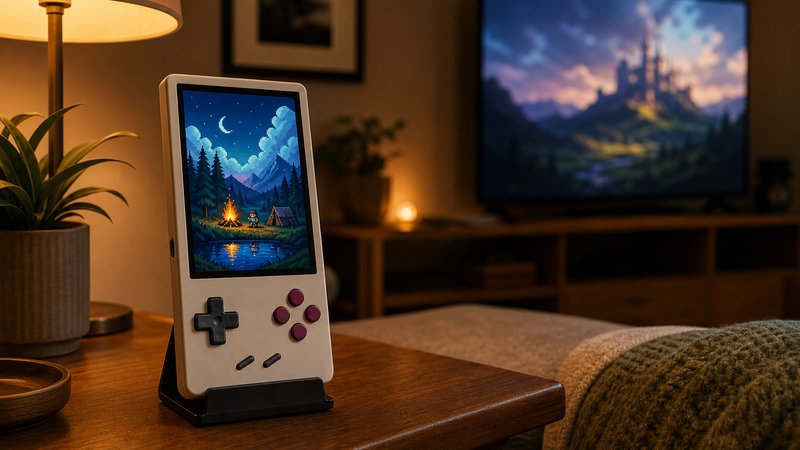
OnionOS on the Miyoo Mini Plus is the more mature firmware, with years of refinement and deep documentation behind it. CrossMix OS on the TrimUI Brick has closed the gap quickly and is now the standard recommendation for Brick owners.
OnionOS is the reason the Miyoo Mini Plus became a community default. The project replaces Miyoo's stock software with a fast, clean interface, deep save-state support, and Retro Achievements integration. Its documentation covers nearly every problem an owner can hit. Years of updates have sanded off the rough edges that plague most budget devices. Installation takes minutes with a microSD card and a computer. The step-by-step walkthrough lives in the Miyoo Mini Plus setup guide.
CrossMix OS takes a different route. It builds on top of TrimUI's stock system rather than replacing it outright, then layers on stronger RetroArch integration, themes, and quality-of-life tools. Owner threads describe it as fast-moving and remarkably polished for a young project. The same threads note thinner documentation and occasional quirks that OnionOS outgrew years ago. Stock firmware on both devices is usable, which is not always true in this market. The community options are still the versions worth running.
Is CrossMix OS ready for a first-time owner?
Yes, with one caveat. The install is a straightforward copy onto a microSD card, and the day-to-day experience is stable by community consensus. The caveat is support depth. When something breaks on OnionOS, a documented fix almost always exists. When something breaks on CrossMix, the answer may live in a Discord thread instead. Patient beginners will be fine. Anyone who wants zero friction should weigh the Miyoo more heavily.
Buttons, build, and feel
Button quality tilts toward the TrimUI Brick in most owner accounts, though the Miyoo D-pad keeps its own loyal following. Both devices use the vertical Game Boy layout, and neither offers analog sticks.
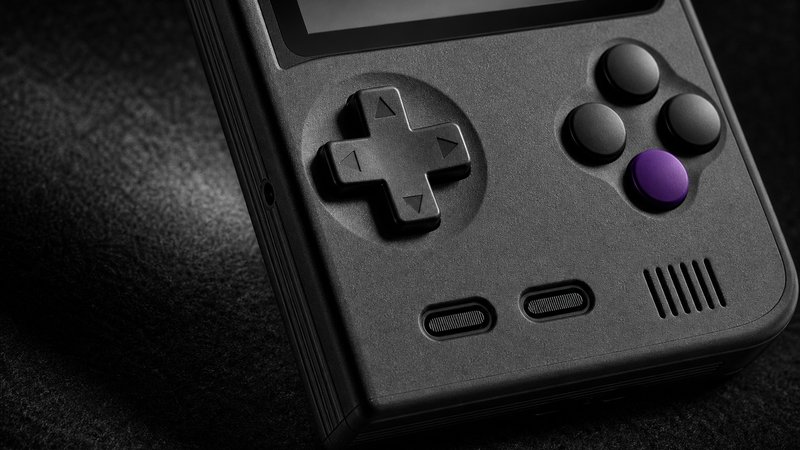
Owner consensus gives the Brick the better face buttons. They click with a precision repeatedly praised in reviews and forum threads. The Brick also adds two extra mappable function buttons, plus RGB accent lighting that can be switched off. The Miyoo answers with its D-pad. The rubbery, Game Boy-style pad is a community favorite and a real advantage in platformers and fighting games. Both devices stack four shoulder buttons on the back edge, and neither arrangement is comfortable for hour-long sessions. Build quality favors the Brick slightly. Owners describe it as dense and solid, true to its name. The Miyoo feels lighter and a little more toy-like, though reported failure rates for both remain low. One repeated Brick note deserves passing on: it runs warm during long, demanding sessions.
Battery life and charging
Both handhelds carry a 3000mAh battery and charge over USB-C. Owner reports put the Miyoo Mini Plus at roughly 4 to 6 hours and the TrimUI Brick at roughly 4 to 5.
The identical capacity hides different real-world behavior. The Brick drives four times the pixels through a faster chip, so it drains faster under load. Game Boy and SNES sessions stretch both devices toward their upper estimates. PS1 and anything heavier pulls both toward four hours. A commuter running GBA on a 40-minute train ride charges either device about twice a week. OnionOS adds a strong sleep mode that holds a suspended game for days on standby, a repeatedly praised feature. Charging is unremarkable in the best way. Any standard USB-C phone charger works for either device, and neither supports nor needs fast charging. Skip the marked-up charging kits sold alongside these handhelds in marketplace listings.
Emulation ceiling: where each one tops out
The Miyoo Mini Plus tops out at PS1, which it runs nearly perfectly. The TrimUI Brick runs the same PS1 library and adds playable N64, Dreamcast, and PSP performance for lighter titles.
| System | Miyoo Mini Plus | TrimUI Brick |
|---|---|---|
| Game Boy / GBC / GBA | Perfect | Perfect |
| NES / SNES / Genesis | Perfect | Perfect |
| PS1 | Excellent | Excellent |
| Nintendo DS | Playable with quirks | Good |
| N64 | Not supported | Playable, game dependent |
| Dreamcast | Not supported | Mostly playable |
| PSP | Not supported | Lighter titles only |
| PS2 / GameCube | No | No |
The hardware gap explains the table. The Miyoo runs a SigmaStar SSD202D, a dual-core Cortex-A7 at 1.2GHz paired with 128MB of RAM. The Brick runs an Allwinner A133P, a quad-core Cortex-A53 at 1.8GHz with 1GB of RAM and a PowerVR GE8300 GPU. That is a full generation of separation, and it shows up exactly where the extra systems begin. Below PS1, the gap is invisible. Both devices run 8-bit and 16-bit libraries flawlessly, so a Game Boy purist gains nothing from the stronger chip.
Can the Brick really handle N64 and Dreamcast?
Partially, and honesty matters here. Community compatibility reports describe many N64 and Dreamcast titles as playable, with lighter games running well. Demanding titles stutter, need per-game tinkering, or simply fail. PSP lands in the same category: 2D and simpler 3D games work, flagship 3D games struggle. Anyone whose dream library centers on those systems should spend more on a stronger device instead of buying twice. Anyone who mostly wants PS1 and older, with occasional visits upward, will find the Brick's ceiling comfortable.
Wireless: Bluetooth and WiFi
The TrimUI Brick includes Bluetooth and dual-band WiFi with 5GHz support. The Miyoo Mini Plus has 2.4GHz WiFi only and no Bluetooth at all. This is the single widest feature gap between the two devices.
Wireless sounds minor on a retro device until the first file transfer. WiFi lets both devices sync Retro Achievements, run netplay, and pull over-the-air firmware updates. The Brick's 5GHz band moves ROM libraries and box art far faster than the Miyoo's 2.4GHz connection. Bluetooth is the bigger separation. The Brick pairs wireless controllers and headphones directly, with no dongle or adapter. The Miyoo Mini Plus simply cannot, and no accessory fixes that. One practical warning from owner threads applies to every handheld: Bluetooth audio adds slight latency. Rhythm games and twitchy platformers feel better over the wired headphone jack, which both devices include.
Setup effort differs too. OnionOS handles WiFi transfers through simple built-in tools, each one documented in its wiki. CrossMix exposes similar features with less hand-holding along the way. Neither device requires wireless at all, though. A card reader and a computer remain the fastest way to load a full library on either handheld.
What both devices get wrong
Neither device has analog sticks, video output, or a lid to protect the screen. Both top out well below GameCube and PS2. Those shared limits define the sub-$100 class more than any difference between the two.
No analog sticks means N64 and PSP games on the Brick lean on button mapping, which suits some titles and ruins others. No video output means neither can feed a TV, a trick the similarly priced Anbernic RG35XX H manages with mini-HDMI. The preloaded microSD cards bundled into many listings are slow, chaotic, and best formatted on day one. A name-brand card with an A1 rating costs $12 to $20 and prevents the most reported failure in owner communities. Marketplace listings deserve caution too. Popular budget handhelds attract lookalike listings and quiet hardware revisions. Buying from an established seller with recent reviews is the practical defense.
Pocketability and daily carry
Both are true pocket handhelds with nearly identical footprints, close to a deck of cards. The Miyoo Mini Plus is the established pocket favorite, while the Brick trades a little screen size for a denser feel.
Either device disappears into a jeans pocket or jacket pocket without complaint. The Miyoo built its reputation on exactly this, and it remains the reference point for pocket handhelds in community roundups. The Brick matches the footprint closely while feeling heavier in hand, per owner descriptions. Neither has a clamshell shell or a built-in cover, so the screen rides exposed against keys and coins. A tempered glass protector costs a few dollars and prevents the most common carry damage. A small hard case does the same job inside a bag. For carry-focused buyers, the honest verdict on this category is a tie.
Which one should you actually buy?
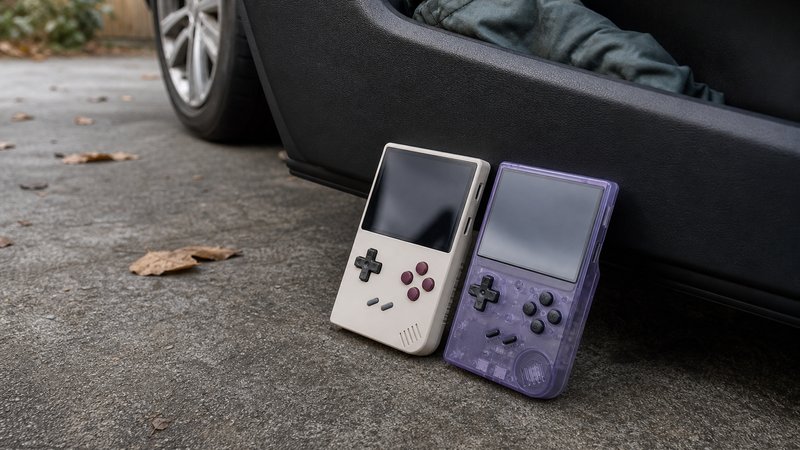
Buy the Miyoo Mini Plus for the smoothest software, a bigger screen, and a $15 saving. Buy the TrimUI Brick for the sharpest display under $100, stronger emulation, Bluetooth, and faster WiFi.
A five-question checklist settles it faster than any spec sheet.
- Does your library stop at PS1? The Miyoo Mini Plus covers it for less money and with smoother software.
- Do you want occasional N64, Dreamcast, or PSP? The Brick is the only one of the two that tries, and it mostly succeeds.
- Do Bluetooth headphones or controllers matter to you? The Brick is the only option, full stop.
- Is this a first handheld? OnionOS documentation makes the Miyoo the gentler starting point.
- Is display quality the priority? The Brick's roughly 400 PPI panel is the best screen in the price class.
Plenty of hobbyists eventually own both, using the Miyoo as the pocket piece and the Brick as the display piece. Starting with one is still the sane move. Pick the device that matches your library today, not the library you imagine building someday.
Price movement can also settle a coin flip. Both devices see regular discounts during seasonal sales, and a $10 drop changes the math at this tier. A Brick found near $70 becomes very hard to argue against. A Miyoo Mini Plus near $55 becomes the cheapest genuinely polished handheld money buys. Checking a price history tool before ordering takes thirty seconds. It regularly saves the cost of a spare microSD card.
There is no wrong purchase here, which is rare in this market. Both devices hold spots in the Man Talk retro handhelds section, where new releases and follow-up guides land as they publish. The about page explains how recommendations get made here. Manufacturer specifications for the Mini Plus are published at Miyoo's official site.
Frequently asked questions
Is the TrimUI Brick better than the Miyoo Mini Plus?
On raw hardware, yes. The Brick has a sharper 1024×768 screen, a faster quad-core chip, eight times the memory, Bluetooth, and 5GHz WiFi. The Miyoo Mini Plus answers with OnionOS, the most polished community firmware in budget handhelds, plus a slightly larger display. Neither is better for every buyer.
Can the Miyoo Mini Plus play N64, Dreamcast, or PSP games?
Not realistically. Its dual-core Cortex-A7 chip and 128MB of RAM top out at PS1, which it runs very well. N64, Dreamcast, and PSP need far more power. The TrimUI Brick manages playable results in many lighter titles from those systems, though demanding games still struggle on both devices.
Does the TrimUI Brick support Bluetooth controllers and headphones?
Yes. The Brick ships with Bluetooth alongside dual-band WiFi, so wireless controllers and headphones pair without adapters. The Miyoo Mini Plus has no Bluetooth at all and only 2.4GHz WiFi. OnionOS uses that connection mainly for Retro Achievements, netplay, and file transfer over a local network.
Which handheld has better battery life?
They are close. Both carry 3000mAh batteries and charge over USB-C. Owner reports put the Miyoo Mini Plus at roughly four to six hours. The Brick lands at roughly four to five, since its sharper screen and faster chip draw more power. Emulating heavier systems shortens both numbers.