Man Talk may earn a commission when you buy through links on this page. That never changes what gets recommended, and it never changes the price you pay.
Anbernic RG35XX SP: Specs, Strengths, Who Should Buy
The Anbernic RG35XX SP is a roughly $75 clamshell retro handheld that borrows its folding design from the Game Boy Advance SP. Short version: it is the best screen-protecting emulation device under $100, and most buyers who want one should buy it. The Allwinner H700 chip inside runs everything from NES through PS1 cleanly, with playable N64, Dreamcast, and PSP on top. The folding shell guards the 3.5-inch screen without a case, and dual microSD slots keep firmware updates painless. The catch list is short but real. The L2 and R2 shoulder buttons are stiff, there are no analog sticks, and the stock software deserves replacement on day one. This guide covers the full spec sheet, the firmware worth installing, and the weaknesses owners keep reporting. It also compares the SP against the Anbernic RG35XX H and the Miyoo Flip, its two closest rivals. Everything here rests on published specifications and documented community consensus rather than hands-on testing. By the end, the buy-or-skip decision should be an easy one.
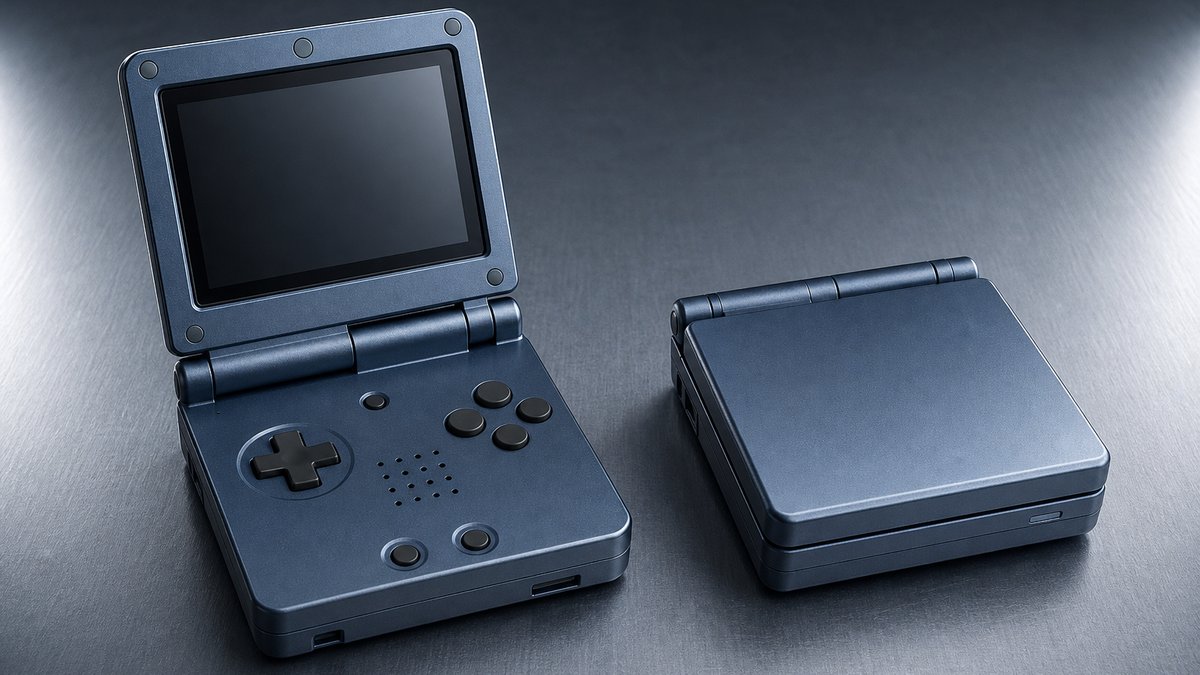
The Anbernic RG35XX SP at a glance
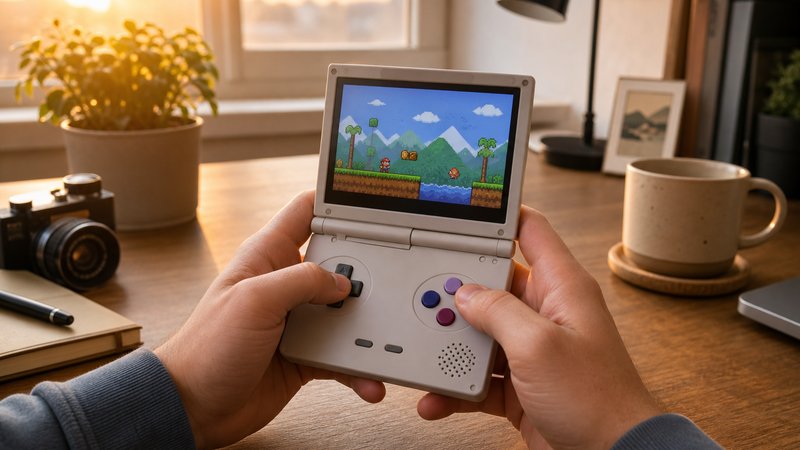
The Anbernic RG35XX SP is a folding retro handheld released in 2024. It pairs a quad-core Allwinner H700 chip with a 3.5-inch 640x480 IPS screen, a 3300mAh battery, dual microSD slots, WiFi, Bluetooth, and mini HDMI output.
| Spec | Detail |
|---|---|
| Chipset | Allwinner H700, quad-core Cortex-A53 at 1.5GHz |
| GPU / RAM | Mali-G31 with 1GB RAM |
| Screen | 3.5-inch IPS, 640x480, 4:3 ratio |
| Battery | 3300mAh, USB-C charging |
| Storage | Dual microSD slots, no internal game storage |
| Connectivity | WiFi, Bluetooth, mini HDMI out, 3.5mm headphone jack |
| Size closed | About 3.5 x 3.35 x 1.06 inches |
| Controls | D-pad, four face buttons, stacked L1/L2 and R1/R2, no analog sticks |
| Typical price | ~$75, with frequent sale dips below that |
The headline trick is the shell. Closed, the device sits close to the footprint of the original Game Boy Advance SP it imitates. A magnetic sensor in the lid puts the system to sleep the moment it snaps shut. Reviewers at Retro Dodo and GBAtemp both describe the hinge as sturdy, folding back a full 180 degrees to sit flat. Several colorways lean into the nostalgia, echoing classic SP shades. Prices drift week to week, so treat the number above as a typical street price rather than a promise. The staff behind Man Talk bring more than 35 years of combined video game experience to these picks.
Battery behavior tracks the workload. Game Boy sessions stretch toward eight hours, while Dreamcast and PSP can empty the cell in closer to two. Charging happens over USB-C, with one cable caveat covered in the weaknesses section below. Owners report only small standby drain in sleep mode, so a lid closed on Monday still holds a live game midweek.
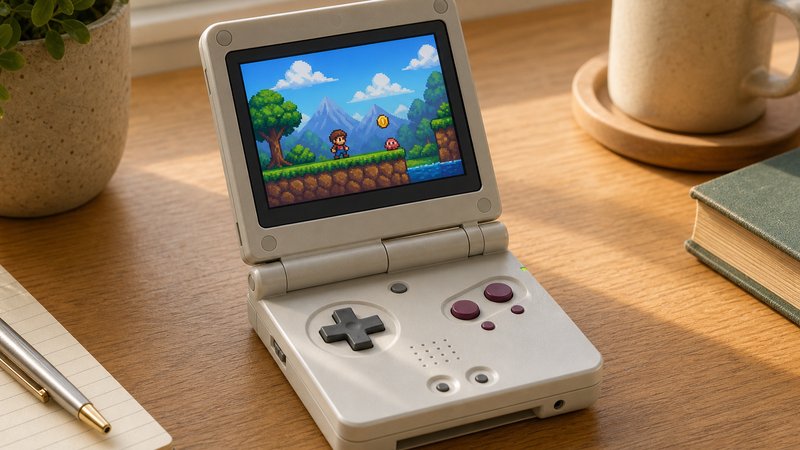
What the clamshell design actually gets you
The folding shell protects the screen without a case or screen protector, which no open-faced rival can claim. It also enables instant sleep on close, table-friendly screen angles, and genuine pocket carry without scratch anxiety.
Open-faced handhelds like the Miyoo Mini Plus share a pocket with keys and coins at their own risk. The SP simply folds shut and shrugs that problem off. That makes it the default recommendation for anyone carrying a handheld in a work bag or jacket daily. The hinge holds any angle through its travel, so the screen can tilt to match seating and glare. Fully flat, it works like a small tablet for two-player table sessions over Bluetooth controllers.
The sleep-on-close habit matters more than it sounds. Closing the lid mid-level and reopening it hours later resumes the game instantly, exactly like the 2003 hardware that inspired it. Owners in the r/SBCGaming community consistently rank this as the feature that keeps the SP in rotation. Convenience wins over specs in daily use, and the SP is built around that idea.
Performance: what the H700 chip can run
The Allwinner H700 runs everything from NES through PS1 at full speed. N64 and Dreamcast are mostly playable, PSP works for lighter titles, and PS2 or GameCube are out of reach entirely.
| System | How it runs on the RG35XX SP |
|---|---|
| Game Boy / GBC / GBA | Perfect, and the 4:3 screen suits them |
| NES / SNES / Genesis | Perfect |
| PS1 | Perfect |
| Nintendo DS | Good, single-screen layouts take adjustment |
| N64 | Most titles playable, some stutter in demanding games |
| Dreamcast | Good overall, heaviest games struggle |
| PSP | Lighter titles run well, demanding ones drop frames |
| PS2 / GameCube | Not playable |
The DroiX review pegs demanding PSP games like God of War: Chains of Olympus at around 20 frames per second. That number frames the ceiling honestly. This is a 16-bit and PS1 machine first, with the harder systems as a bonus rather than a promise. The same H700 chip powers the RG35XX H and RG40XX H, so compatibility reports transfer across all three.
Screen quality helps the raw numbers land well. The 640x480 panel divides evenly into the resolutions most retro consoles used, so pixel art scales cleanly without shimmer. A 4:3 ratio means no black bars in the systems this device targets. GBA titles in particular look right at home, matching the shape of the hardware that inspired the shell. The mini HDMI port adds a second life on the living room TV. Pair a Bluetooth controller, run the cable, and the SP works as a tiny retro console for the evening. Few folding handhelds at this price offer video out at all, so the port is a quiet advantage.
Can it really handle N64 and PSP games?
Mostly, with one structural caveat: there are no analog sticks. N64 and PSP were built around analog movement, and the SP maps that to a D-pad. Kart racers and turn-based games survive the translation fine. Shooters, platformers with camera control, and anything needing fine steering feel clumsy. Buyers whose wishlist leans on those two systems should pick a device with sticks instead.
Firmware options: the software decides the experience
The stock Linux software works but feels dated, and community consensus says replace it. MuOS is the standard first pick for H700 hardware. Knulli adds a showcase front end with RetroAchievements. MinUI strips everything down to a plain game list.
| Firmware | Style | Best for |
|---|---|---|
| Stock OS | Functional but clunky menus | Trying the device on day one |
| MuOS | Fast, minimal, actively updated | Most owners, best overall balance |
| Knulli | EmulationStation front end, box art, RetroAchievements | Collection browsing and achievement hunters |
| MinUI | Bare list of games, nothing else | Minimalists who just want to play |
Held Games ranks MuOS as the first firmware to try on any Allwinner H700 device, citing quick boots and near-zero lag between menu and game. Knulli grew out of the Batocera project and carries its polished EmulationStation interface over. MinUI takes the opposite path, hiding every setting behind a clean list in the spirit of the Analogue Pocket. The dual microSD slots make experimenting cheap, since each firmware can live on its own card. The full walkthrough lives in the Man Talk custom firmware guide.
Do you have to install custom firmware?
No, and the stock software has improved through updates. It boots, plays games, and handles HDMI output without help. Nearly every experienced owner still replaces it, because the community options are faster, cleaner, and better documented. Since the OS lives on a removable card, the swap risks nothing. Pulling the card returns the device to stock in seconds.
Known weaknesses before you order
Five complaints repeat across owner communities: stiff L2 and R2 buttons, no analog sticks, an early charging fault, loud controls, and dated stock software. None are dealbreakers for the core use case, but all are worth knowing upfront.
- Stiff L2 and R2 buttons. The stacked shoulder buttons need more pressure than they should, the most repeated complaint in owner threads. PS1 games that lean on the rear triggers, like racing titles, expose it fastest.
- No analog sticks. The shell is too thin for them. That caps comfort in N64, PSP, and Dreamcast games designed around analog movement.
- Early charging fault. Some 2024-era units developed swollen batteries when charged with USB-C to USB-C cables, documented in the Retro Dodo review coverage. The standard advice remains a USB-A to USB-C cable and a basic charger.
- Loud, clicky controls. The buttons announce themselves in a quiet room, a repeated note in reviews. Commuters playing next to a sleeping partner will notice.
- Dated stock software. Functional, but clearly a step behind MuOS and Knulli. Budgeting an evening for a firmware install is realistic ownership planning.
Is the charging fault still a concern?
The reports cluster around early production runs from 2024, and later batches have not shown the same pattern at scale. The cautious habit costs nothing: charge with a USB-A to USB-C cable on a standard phone charger. Owners who follow that advice report no issues in current threads. Anyone buying old stock from a marketplace seller should keep the habit anyway.
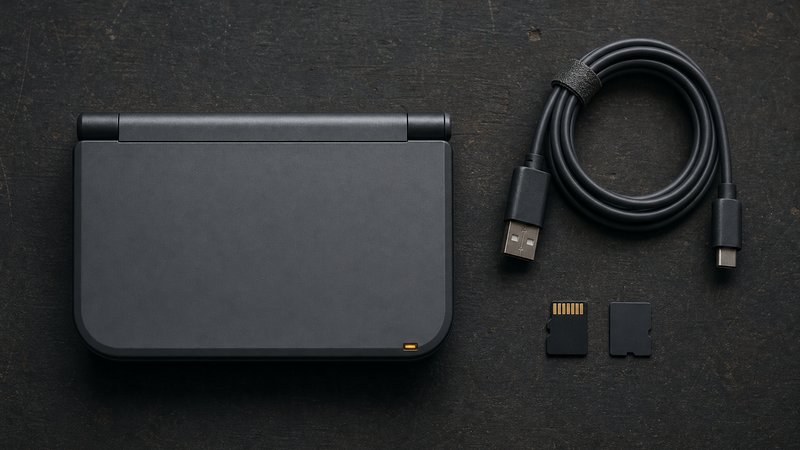
RG35XX SP vs RG35XX H: same chip, different body
The RG35XX SP and RG35XX H share the same H700 chip, screen, and 3300mAh battery, so performance is identical. The choice is purely about form: the SP folds shut and protects itself, while the H adds analog sticks in a horizontal body.
| Factor | RG35XX SP | RG35XX H |
|---|---|---|
| Form factor | Clamshell, vertical | Horizontal, PSP-style |
| Analog sticks | None | Dual |
| Screen protection | Built in, folds shut | None, open-faced |
| Typical price | ~$75 | ~$73 |
| Best for | Daily carry, GB through PS1 | N64, PSP, TV play sessions |
The decision rule is simple. Buyers whose library ends at PS1 get more from the SP, because protection beats sticks they will not use. Buyers who want N64, PSP, or Dreamcast as main courses should take the H and its analog sticks. Both output over mini HDMI and both run the same MuOS and Knulli builds. There is no wrong answer here, only a wrong match to the game library.
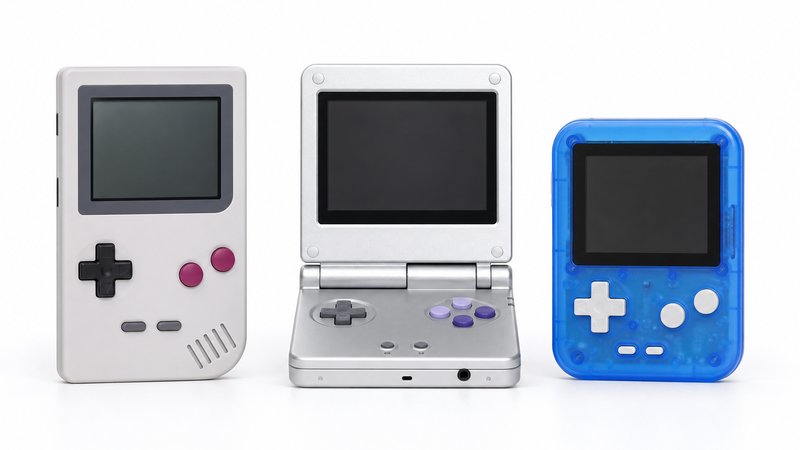
RG35XX SP vs Miyoo Flip: the clamshell rematch
The Miyoo Flip is the SP's direct clamshell rival at around $70. It adds dual analog sticks and slightly stronger N64 and DS performance. The SP answers with a more mature firmware scene and a longer track record of hinge reliability.
| Factor | RG35XX SP | Miyoo Flip |
|---|---|---|
| Typical price | ~$75 | ~$70 |
| Analog sticks | None | Dual |
| N64 / DS performance | Playable | Slightly better, per comparison reviews |
| Firmware scene | Mature: MuOS, Knulli, MinUI | Younger, still settling |
| Hinge track record | Two years of solid reports | Early batches drew quality complaints |
Comparison coverage at RetroHandheldHQ gives the Flip the edge on raw capability, thanks to the sticks and a lighter body. Community threads tell a more cautious story on build, with early Flip batches drawing hinge and quality-control complaints. The SP has two years of owner reports behind its hinge and a firmware ecosystem that settled long ago. Risk-averse buyers should take the SP. Spec-chasers who accept some lottery odds can take the Flip. The wider brand picture sits in the Anbernic vs Retroid vs Miyoo comparison.
Who should buy the RG35XX SP, and who should skip it
Buy the RG35XX SP for daily-carry emulation of Game Boy through PS1 libraries, especially with GBA SP nostalgia attached. Skip it if analog-stick systems headline the wishlist, or if PS2 and GameCube ambitions demand a $150-plus device instead.
The ideal owner throws it in a bag every morning and plays in stolen moments. For that person, the folding shell, instant sleep, and 4:3 screen make it the easiest recommendation under $100. The nostalgic angle is genuine too, since the design mimics hardware many buyers grew up closing with a snap. The wrong owner wants one device to cover everything through GameCube. That buyer will hit the H700 ceiling within a week and should budget for Snapdragon-class hardware.
The SP also makes an easy gift, which is not true of most devices in this hobby. The folding shell reads as familiar to anyone who owned the 2003 original, and no assembly is needed to start playing. A card set up through a community firmware turns it into a finished present. Few gadgets under $100 carry that kind of built-in recognition, and fewer still survive a coat pocket afterward.
Is the RG35XX SP still worth buying in 2026?
Yes, and arguably more than at launch. Street prices have drifted down during sales events, while firmware support has only deepened. The sub-$100 class improves in small steps because chip options at this price change slowly. Nothing released since has made the SP feel outdated for its core systems. A device covering GB through PS1 today will cover them just as well in three years.
What to buy alongside it
Two additions cover the practical gaps: a name-brand microSD card and a USB-A to USB-C cable. The clamshell design makes a case and screen protector unnecessary, which quietly offsets part of the purchase price.
The microSD card matters most. Preloaded cards bundled with budget handhelds are slow, no-name units, and corrupted cards are the most reported failure in owner communities. A 128GB or 256GB card from SanDisk or Samsung with an A1 rating fixes it. The A1 specification guarantees a minimum of 1500 random read operations per second, which keeps menus and save states responsive. Expect to pay $12 to $20. The USB-A to USB-C cable handles the charging caution covered earlier, and most drawers already hold one.
Skip the marked-up accessory bundles on marketplace listings. The device charges from any standard phone charger and protects its own screen. New models land in this category nearly every month, and the Man Talk retro handhelds section tracks them as they ship. The about page explains how recommendations get made here. Official specifications and current colorways are published at Anbernic's official site.
Frequently asked questions
Is the Anbernic RG35XX SP good for a first retro handheld?
Yes. The folding shell survives bags and pockets, setup guides are everywhere, and the H700 chip covers the consoles most beginners actually want. Plan on installing MuOS or another community firmware early, since the dated stock software is the weakest part of an otherwise friendly package.
How long does the RG35XX SP battery last?
The 3300mAh battery runs roughly two to eight hours depending on the emulated system. Game Boy and SNES titles sit at the high end, while Dreamcast and PSP drain it fastest. The magnetic sleep function helps too, since closing the lid pauses the game and cuts power draw.
Can the RG35XX SP play PS2 or GameCube games?
No. Those consoles need far more processing power than the Allwinner H700 provides. The realistic ceiling is PS1 running perfectly, with playable N64, Dreamcast, and PSP on top. Reliable PS2 emulation starts around $150 with Snapdragon-class hardware such as the Retroid Pocket line of devices.
Which custom firmware is best for the RG35XX SP?
MuOS is the common first recommendation for H700 devices, praised for fast boots and active updates. Knulli suits anyone who wants box art and RetroAchievements. MinUI strips everything down to a clean list of games. All three are free, and the dual microSD slots make switching painless.