Man Talk may earn a commission when you buy through links on this page. That never changes what gets recommended, and it never changes the price you pay.
OnionOS vs MuOS vs Knulli vs ArkOS: Firmware Guide
The best custom firmware for a retro handheld is decided by the hardware, not by taste. OnionOS is the pick for the Miyoo Mini and Miyoo Mini Plus. MuOS is the favorite on Anbernic's H700 devices, with Knulli as the feature-rich alternative on the same hardware. ArkOS is the standard on the R36S and its Rockchip relatives. CrossMix OS owns the TrimUI Smart Pro, with the TrimUI Brick next on its roadmap. Each project replaces clumsy stock software with cleaner menus, better emulator defaults, and working save states. The catch is that none of them run everywhere. A firmware built for one chipset will not boot on another, so the choice starts with the device already in your hands. This guide maps all five projects to the hardware they support. It compares setup difficulty, update pace, and community health, using project documentation and the collective judgment of the retro handheld community. No games or BIOS files ship with any of these projects, and none are linked here. Owners supply their own from hardware they legally own. By the end, the right download for your device should be obvious.
The five firmware projects at a glance
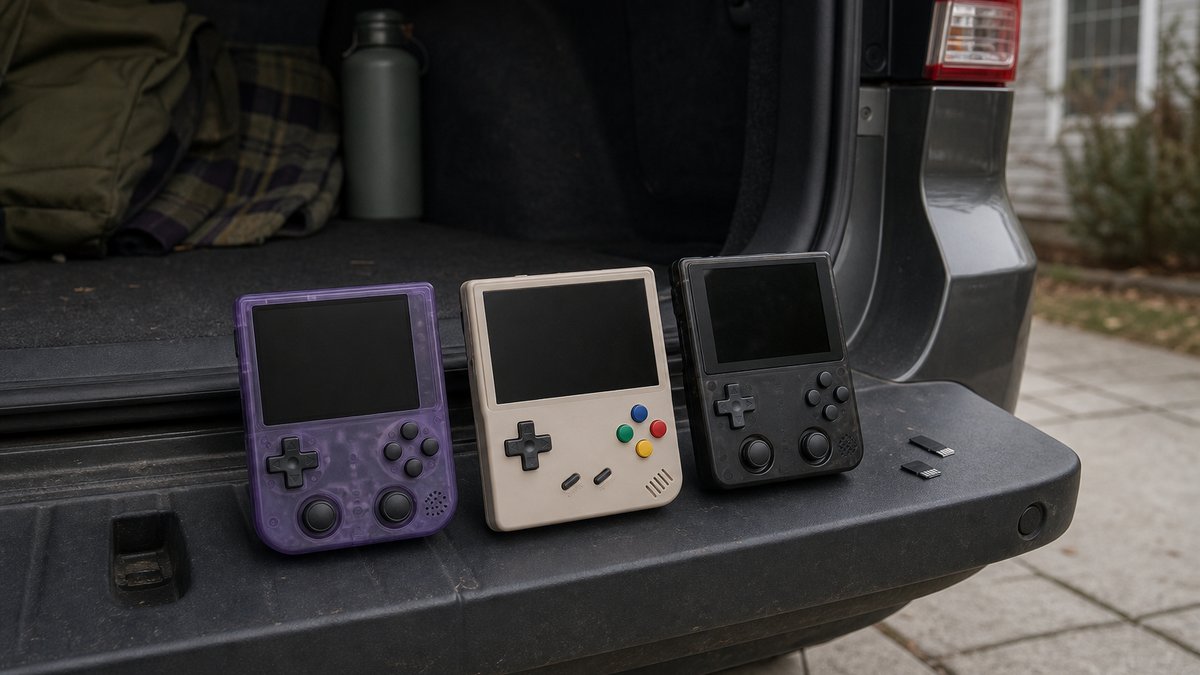
Five community projects cover nearly every budget retro handheld sold in 2026. OnionOS serves the Miyoo Mini line, while MuOS and Knulli split Anbernic's H700 devices. ArkOS covers the R36S and other Rockchip models, and CrossMix OS runs the TrimUI lineup. Overlap between them is small, so the device usually makes the decision.
| Firmware | Main devices | Base and frontend | Best for |
|---|---|---|---|
| OnionOS | Miyoo Mini, Miyoo Mini Plus | Custom UI + tuned RetroArch | Polish and simplicity |
| MuOS | Anbernic H700 line (RG35XX family, RG40XX, RG34XX) | Minimal Linux + RetroArch | Speed and rapid updates |
| Knulli | Anbernic H700 line, TrimUI models | Batocera fork + EmulationStation | Box art, achievements, OTA updates |
| ArkOS | R36S, Anbernic RG351/RG353 lines, Powkiddy RGB30 | Ubuntu base + EmulationStation | Rockchip devices and clones |
| CrossMix OS | TrimUI Smart Pro (Brick support via the v1.4 line) | Enhanced stock TrimUI system | Stock look with far more depth |
One pattern is worth noticing. None of these projects compete head to head across the whole market. Each grew up around a specific chipset, and porting between chipsets is a major engineering effort. That is why Miyoo owners never argue about MuOS, and Anbernic owners never argue about OnionOS. The only real contest sits on Anbernic H700 hardware, where MuOS and Knulli both run well. That matchup gets a closer look below. The staff behind Man Talk bring more than 35 years of combined video game experience to these picks.
How this comparison was put together
Every claim here comes from official project documentation, public release histories, and the documented consensus of communities like r/SBCGaming. Man Talk makes no hands-on testing claims. Where owner reports disagree with a project's own marketing, this guide sides with the owners.
Firmware moves faster than hardware, which makes recency the main research problem. A guide written around a 2024 release list would already be wrong about two of these five projects. Release information cited below comes from each project's own site or GitHub history. Community judgments come from threads with broad agreement, not single enthusiastic posts. One more ground rule applies. No links to game files or BIOS files appear anywhere on Man Talk. These projects ship without copyrighted content, and the expectation is that owners dump their own from hardware they legally own.
What custom firmware actually changes
Custom firmware replaces the software a handheld ships with, not the hardware. The practical gains are cleaner menus, per-system emulator tuning, save states that work everywhere, quick resume, and community themes. On most budget devices, the stock software is the single weakest part of the product.
Stock interfaces on budget handhelds tend to share the same flaws. Menus are translated awkwardly, settings are buried or missing, and preloaded game lists arrive as a mess of duplicates. Emulator defaults often run games at the wrong speed or a stretched aspect ratio. Community firmware fixes those faults because the people building it are the people playing on it. The improvement is large enough that most buying guides treat firmware support as a purchase requirement. A device with no active firmware community is a device to avoid, whatever its spec sheet promises.
OnionOS: the Miyoo standard
OnionOS is the community operating system for the Miyoo Mini and Miyoo Mini Plus, and the main reason those devices became famous. The project describes itself as a complete OS overhaul, pairing a clean custom interface with a tuned RetroArch build.
The feature list explains the reputation. GameSwitcher jumps between suspended games with a single button press. An activity tracker logs play time per title. A global search digs through large libraries in seconds. Hundreds of community themes change the entire look of the device. A separate ports collection adds native games built for the hardware. Documentation lives at onionui.github.io, which remains the official home for downloads and guides.
Two things temper the praise. Version 4.3, the last major stable release, arrived in February 2024, and development since has slowed to maintenance work. The project also targets only the original Mini line, so newer Miyoo hardware may need different software. Neither issue matters much in practice. The firmware is mature, the hardware it serves is unchanged, and the install is simple. Windows users can hand the whole job to Onion Desktop Tools, a community utility that prepares the card automatically. The full walkthrough lives in the Miyoo Mini Plus setup guide.
MuOS: the Anbernic favorite
MuOS is the most actively developed firmware for Anbernic's H700 devices, covering the RG35XX family, the RG40XX pair, and newer models like the RG34XX. Community consensus in 2026 treats it as the default choice on that hardware.
The design philosophy is speed through restraint. MuOS keeps the system layer thin and hands emulation duties to RetroArch, which also serves as the in-game menu. Boot times are short, menus respond instantly, and the light footprint helps battery life. Updates land at a pace no other project here matches, with several major releases per year plus steady point fixes. The project's Discord server ranks among the busiest in the hobby, per community reports.
The trade-off is fewer built-in extras. Box art, achievements, and scraping exist but take more manual effort than Knulli's approach. People who enjoy configuring RetroArch will feel at home. People who want a console-style appliance may prefer the next option. For help picking the Anbernic hardware itself, the Anbernic vs Retroid vs Miyoo brand guide covers that decision.
Knulli: the feature-loaded alternative
Knulli is a fork of the long-running Batocera project rebuilt for low-power handhelds. It runs on the same Anbernic H700 hardware as MuOS, plus TrimUI models, and trades a little speed for a lot of features.
The EmulationStation frontend is the big draw. It scrapes box art and metadata, tracks progress through RetroAchievements, and pulls updates over the air once WiFi is set up. That last feature is rare in this class. Most firmware updates mean pulling the card and reflashing, while Knulli can update itself from the couch.
Owners report the costs honestly. Boot takes longer than MuOS, menus carry more visual weight, and the settings tree runs deep. On the H700 chip that overhead is noticeable but not painful. The practical split in community threads has become simple. Pick MuOS for a fast, minimal device. Pick Knulli for a device that feels like a tiny modern console, art and achievements included.
ArkOS: the R36S workhorse
ArkOS is the established firmware for Rockchip-based handhelds and the standard recommendation for the R36S. It is an Ubuntu-based system built and maintained for years by a single developer, with community builds extending support to clone devices.
The supported list reads like a history of the budget scene: the Anbernic RG351 line, the RG353 series, and Powkiddy models like the RGB30. The R36S itself is a clone device, so it runs community-maintained ArkOS builds rather than official ones. The original developer scaled back active work, and community maintainers now handle the day-to-day updates. Those R36S builds stayed active into 2026, with new releases posted on public GitHub pages as recently as spring.
The R36S install is the trickiest one in this guide, and the hardware is the reason. Clone manufacturers quietly swap screen panels between production runs. A newer panel can need a different display configuration file than the image ships with, which produces a black screen on first boot. The fix is documented and takes minutes, but it ambushes first-timers.
Why does the R36S trip up so many first installs?
Because no single company controls the hardware. The R36S comes from multiple factories, and each revision may change the screen, the storage, or small board details. A firmware image assumes one hardware target. When the target drifts, the image needs a matching tweak. Checking a seller's recent reviews and the community's panel notes before flashing prevents most of the pain.
CrossMix OS: the TrimUI pick
CrossMix OS is the leading firmware for the TrimUI Smart Pro, with TrimUI Brick support arriving through its v1.4 line. Unlike every other project here, it builds on top of the stock TrimUI system instead of replacing it, which keeps installation unusually simple.
That design choice shapes everything. The familiar stock interface stays in place. CrossMix layers on preconfigured emulators for dozens of systems, plus PortMaster for native game ports and Moonlight for PC streaming. A deep theme catalog rounds it out. The v1.3 series is current in 2026, and the project's GitHub page shows steady point releases. Updating the stock firmware first is the one prerequisite the documentation insists on.
The v1.3.0 release shows how far the project reaches beyond emulation. Release notes list a music player, an ebook reader, a VNC server, and Tailscale networking. Per-game launcher memory remembers the preferred emulator for every title. A RetroAchievements login tool hooks the device into the achievement scene. EmuCleaner hides menu entries for systems with no games loaded, which keeps big menus tidy. Community roundups count more than a hundred systems preconfigured out of the box. For a free volunteer project, that feature list embarrasses some paid software.
Does CrossMix OS run on the TrimUI Brick yet?
Stable releases through v1.3.0 target the Smart Pro only. The project's release notes name v1.4.0 as the first version for the Brick. Until a stable Brick build sits on the releases page, community threads point Brick owners to Knulli or MinUI. Checking that page before flashing a card saves the guesswork.
Knulli also runs on TrimUI hardware, so Brick and Smart Pro owners get a real choice. Community sentiment leans CrossMix for its lighter touch and stock-style polish. The counterargument mirrors the Anbernic debate, since Knulli brings scraping, achievements, and the EmulationStation look. Either way, TrimUI owners are better served in 2026 than they were a year ago.
Device-to-firmware match table
Match the handheld to its firmware before downloading anything. The table below pairs the popular budget devices of recent years with the software their communities treat as standard. Where two names appear, both are healthy, and the choice comes down to taste. Chip families explain the groupings, since firmware follows the chip.
| Device | Chip family | Community standard | Worth a look |
|---|---|---|---|
| Miyoo Mini, Miyoo Mini Plus | SigmaStar | OnionOS | MinUI |
| Miyoo A30 | Allwinner | spruce | MinUI |
| Anbernic RG35XX (2022 original) | Actions | GarlicOS | Stock dual boot |
| Anbernic RG35XX Plus, H, SP, 2024 | Allwinner H700 | MuOS | Knulli |
| Anbernic RG40XX H, RG40XX V, RG34XX, RG28XX | Allwinner H700 | MuOS | Knulli |
| Anbernic RG351 family | Rockchip RK3326 | AmberELEC | ArkOS |
| Anbernic RG353 family | Rockchip RK3566 | ArkOS | ROCKNIX |
| Powkiddy RGB30 | Rockchip RK3566 | ArkOS | ROCKNIX |
| R36S and its clones | Rockchip RK3326 | ArkOS community builds | Nothing settled |
| TrimUI Smart Pro | Allwinner A133 | CrossMix OS | Knulli |
| TrimUI Brick | Allwinner A133 | Knulli | CrossMix v1.4 line, MinUI |
| Retroid Pocket, AYN Odin lines | Android chipsets | Stock Android plus a frontend | No replacement scene |
A few rows deserve a caveat. The original RG35XX from 2022 uses a different chip than every later RG35XX model, so its firmware world is separate. GarlicOS made that device famous, and community consensus still points there. The Miyoo A30 sits outside the OnionOS family, and its community settled on spruce instead. Android devices are the odd group out. Their software gets improved with a launcher app, not replaced with a new operating system. Frontends like ES-DE fill that role without any flashing at all. When a device is missing from this table, the honest answer is to search its exact model name plus the word firmware. Clone hardware ships under many names, and the community wiki threads sort out which builds actually boot.
Setup difficulty compared
Every project installs from a microSD card, and none require soldering or code. CrossMix OS and OnionOS are the easiest installs, MuOS and Knulli sit in the middle, and ArkOS on an R36S demands the most care.
| Firmware | Install style | Typical first install | Main tripwire |
|---|---|---|---|
| OnionOS | Copy files, or Onion Desktop Tools | 15 to 30 minutes | Outdated stock firmware on the device |
| MuOS | Flash a device-specific image | 20 to 30 minutes | Grabbing the wrong device image |
| Knulli | Flash an image, then update OTA | 20 to 40 minutes | Impatience during first-boot setup |
| ArkOS (R36S) | Flash a community image | 30 to 60 minutes | Clone screen-panel mismatches |
| CrossMix OS | Extract onto the card over stock | 15 to 30 minutes | Skipping the stock firmware update |
A first install follows the same outline on all five projects:
- Read the current install page for the exact device model, since steps change between releases.
- Buy a name-brand microSD card, and keep the card that shipped with the device as a fallback.
- Download the correct image or archive from the project's official site or GitHub page.
- Flash or copy it exactly as the documentation instructs, then boot and let the first-run setup finish.
- Copy over game files dumped from cartridges and discs you own, sorted into the system folders.
- Add any required BIOS files, also dumped from your own consoles, then set up art and themes.
The card itself deserves attention. Cheap preloaded cards are the most common failure point in the hobby, and a corrupted card mimics a firmware problem. A name-brand card with an A1 rating keeps menus and save states responsive. The A1 specification guarantees a minimum of 1500 random read operations per second. Buying two cards is a cheap luxury that pays off. One holds the current setup, and the other stays free for trying the next firmware release.
Does custom firmware void the warranty?
In theory it can, but the question barely applies at this price. Warranty service on a $50 handheld from an overseas marketplace was never a strong promise. More usefully, every project here boots from the microSD card and leaves internal storage alone. Reinserting the original card returns the device to its factory state. That reversibility is why the community treats flashing as routine rather than risky.
Common flashing mistakes
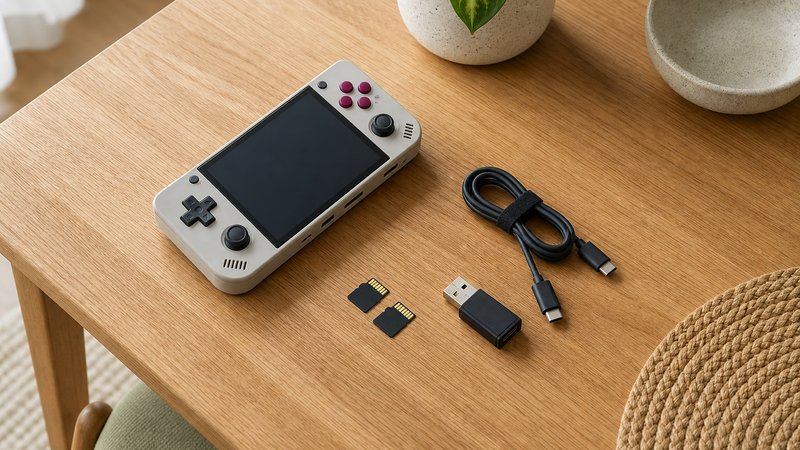
Most failed installs trace back to the same short list of preventable mistakes. Community help threads repeat them week after week, and every one has a cheap fix. The numbered list below runs in rough order of how often each appears.
- Flashing the wrong image for the hardware revision. An RG35XX Plus image will not boot an original RG35XX, and an R36S with a newer screen panel needs a matching display file. Confirm the exact model name and revision against the download page before writing anything.
- Trusting a cheap or counterfeit microSD card. Fake-capacity cards flood marketplace listings and corrupt data once writes pass their real size. Free tools like h2testw and F3 verify true capacity in minutes. A legitimate name-brand A1 card costs around $10 to $15.
- Skipping the backup. The card that shipped with the device is the recovery path, so image it before overwriting it. Copying existing saves to a computer takes minutes and removes the only irreversible risk in the process.
- Extracting the download incorrectly. Some projects ship a compressed image that needs extraction before flashing, while others ship archives meant to be copied onto a card. Flashing a zip file straight to the card produces a device that will not boot.
- Interrupting the first boot. Many firmwares resize partitions and build folder structures on first startup, which can take several minutes on a large card. Pulling the power mid-process corrupts the install and sends people hunting for a hardware fault that does not exist.
- Ignoring stock firmware prerequisites. CrossMix OS documentation requires current stock TrimUI firmware before install, and OnionOS expects updated stock firmware on the Mini Plus. Skipping that step causes boot problems that look far scarier than they are.
Update cadence and community health
MuOS ships updates most often, with Knulli and CrossMix OS close behind. OnionOS is in maintenance mode, and ArkOS now depends on community builds. Every project still runs an active Discord server, subreddit, or GitHub discussion board.
| Firmware | 2026 release pace | Last major stable | Where the community lives |
|---|---|---|---|
| OnionOS | Maintenance fixes | 4.3 (February 2024) | r/miyoomini, Discord, GitHub |
| MuOS | Several majors per year | Rolling 2026 builds | Discord, r/SBCGaming |
| Knulli | Regular, delivered OTA | 2026 builds | Discord, GitHub |
| ArkOS | Community builds continue | 2026 R36S builds | GitHub, r/SBCGaming |
| CrossMix OS | Steady point releases | v1.3 series | GitHub, Discord, r/trimui |
Cadence numbers deserve context. A slow project is not a dead one. OnionOS still works as well as it did the day version 4.3 shipped, and the Miyoo hardware beneath it has not changed. Fast cadence matters most on new hardware, where early releases still have rough edges to sand. That is exactly where MuOS earns its reputation, since Anbernic ships new H700 devices at a relentless pace.
Do updates mean reflashing the card every time?
Not always. Knulli applies updates over WiFi, and CrossMix OS ships updater packages that install from the card. MuOS point releases often install in place, while major versions may call for a fresh flash. OnionOS updates copy over the existing install. ArkOS builds have included a built-in updater, though community builds vary. Reading the release notes before updating remains the safe habit.
Migrating between firmwares without losing saves
Save files survive a firmware switch only when someone moves them by hand. Battery saves, usually .srm files, transfer cleanly between RetroArch-based systems. Save states are tied to specific emulator core versions and break far more easily. Community guides agree on the method: copy saves to a computer, flash the new card, then copy them back into the matching folders.
Each firmware keeps saves in its own spot, which is the whole migration problem. OnionOS holds them in a Saves folder at the top of the card. MuOS files them under its MUOS folder in per-system save directories. Knulli follows its Batocera roots and stores everything under userdata, in a saves folder sorted by system. ArkOS and CrossMix use their own locations, both documented and both reachable with a card reader. The folder names differ, but the contents are the same small .srm files, one per game.
The transfer routine reflects community consensus rather than any official tool. Boot the new firmware once so it builds its folder structure. Then drop each .srm file into the new save folder for its system. The filename must match the game filename exactly, since RetroArch pairs saves to games by name. In-game saves carry over almost every time. Save states are the gamble, because a state made on one core version may refuse to load on another. Finishing each session with a normal in-game save before migrating removes that risk. Owners who switch firmware regularly automate the chore with syncing tools, and Syncthing is the community favorite for that job.
Which firmware should you install?
Match the project to the device. That means OnionOS on a Miyoo Mini or Mini Plus, and MuOS on Anbernic H700 hardware. Pick Knulli when box art and achievements matter most. ArkOS fits the R36S, and CrossMix OS fits a TrimUI.
For buyers who have not picked hardware yet, flip the logic. Choose the software experience first, then buy the device it runs on. A polished, simple pocket device points to the Miyoo Mini Plus and OnionOS. The widest range with the fastest updates points to an Anbernic H700 device and MuOS. The lowest possible spend points to the R36S and ArkOS, patience included. The sharpest screen points to the TrimUI Brick, running Knulli now and CrossMix once its Brick release goes stable.
What about MinUI, ROCKNIX, and the rest?
Two other names come up in every firmware thread. MinUI is a deliberately minimal launcher that runs on many devices, loved for stripping the hobby down to a plain game list. ROCKNIX is the successor to the retired JELOS project and targets more powerful handhelds above this class. Both are healthy projects with real followings. They sit outside this comparison because the five covered here dominate the sub-$100 devices most readers own.
Firmware is half of what makes a budget handheld good, which is why it keeps coming up across the Man Talk retro handhelds section. New device coverage and follow-up guides land there as they publish. The about page explains how recommendations get made here, including the no-invented-testing rule this guide follows.
When stock firmware is actually fine
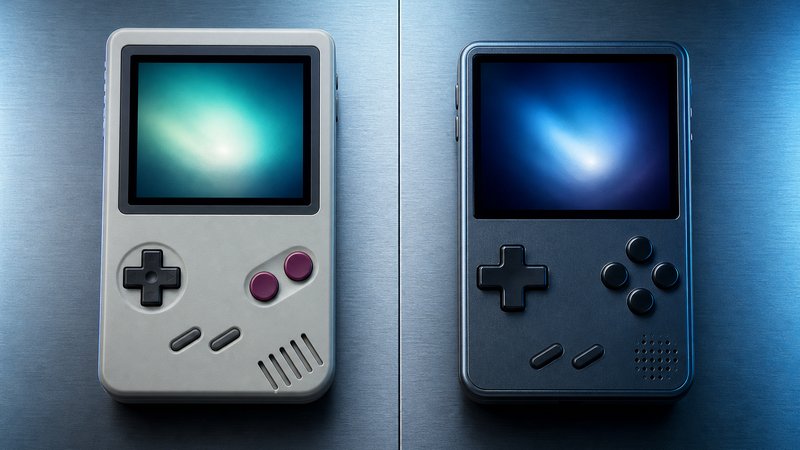
Custom firmware is optional, and skipping it is sometimes the right call. Android handhelds from Retroid and AYN already run capable software, and no replacement firmware scene exists for them. TrimUI's stock system is solid enough that CrossMix builds on it rather than replacing it. Recent Anbernic stock firmware also plays most systems correctly out of the box.
The honest cases for stock start with Android. Devices like the Retroid Pocket line run full Android, so the fix for a clunky launcher is a frontend app, not a flash. ES-DE on Android delivers the same box-art experience Knulli offers, installed like any other app. Gifts are the second case. A device headed to someone who will never open a settings menu should stay on software the manufacturer supports. Brand-new hardware is the third. Firmware projects need weeks or months after a launch before support lands, and stock is the only option on day one. The counterexample is the Miyoo Mini line, where community threads treat stock as a placeholder and OnionOS as the real product. Between those poles, the test is simple. If the stock menus, save states, and screen settings already behave, the flash can wait.
Frequently asked questions
Can installing custom firmware brick a retro handheld?
It is very unlikely on these devices. Every project here boots from the microSD card, not from internal memory. If an install goes wrong, the fix is reflashing the card or inserting the original one. The main real risk is a bad card, so buy a name-brand microSD.
Is custom firmware legal to download and use?
Yes. OnionOS, MuOS, Knulli, ArkOS, and CrossMix are open-source projects, free to download and install. Game files are the separate issue. None of these projects include games or console BIOS files, and owners are expected to dump those from hardware and discs they legally own.
Which custom firmware is easiest for a first-time installer?
CrossMix OS and OnionOS are the gentlest starts. CrossMix installs on top of the stock TrimUI system, and OnionOS offers a Windows tool that prepares the card automatically. MuOS and Knulli are only slightly harder. ArkOS on an R36S takes the most care due to clone hardware.
Can you switch from one custom firmware to another later?
Yes, as long as the new project supports the device. Firmware lives on the microSD card, so switching means flashing a different image to a spare card and swapping it in. Save files do not transfer automatically, so copy them off the old card first.