Man Talk may earn a commission when you buy through links on this page. That never changes what gets recommended, and it never changes the price you pay.
Complete Budget Sim Racing Setup Under $600
A complete budget sim racing setup under $600 is genuinely possible in 2026, and it does not mean toy-grade hardware. The strongest route for PC racers pairs the Moza R5 direct drive bundle, around $399, with a sturdy wheel stand near $130. That lands a full rig around $530. Console racers can pair a Thrustmaster T248 or Logitech G923, roughly $280 to $300, with a Playseat Challenge cockpit. A tighter $400 build exists too, built on a Logitech G29 or G920 and a folding stand. This guide splits the budget across wheel, pedals, and mounting, then lays out three example builds at street prices. It also covers the used market, which can cut the total by a third. The compatibility trap that ruins more first purchases than anything else gets its own section. Every price here is approximate, since street prices move weekly. The recommendations rest on published specs and documented community consensus, not marketing copy. Skip ahead to the build tables if the shopping list is all you need.
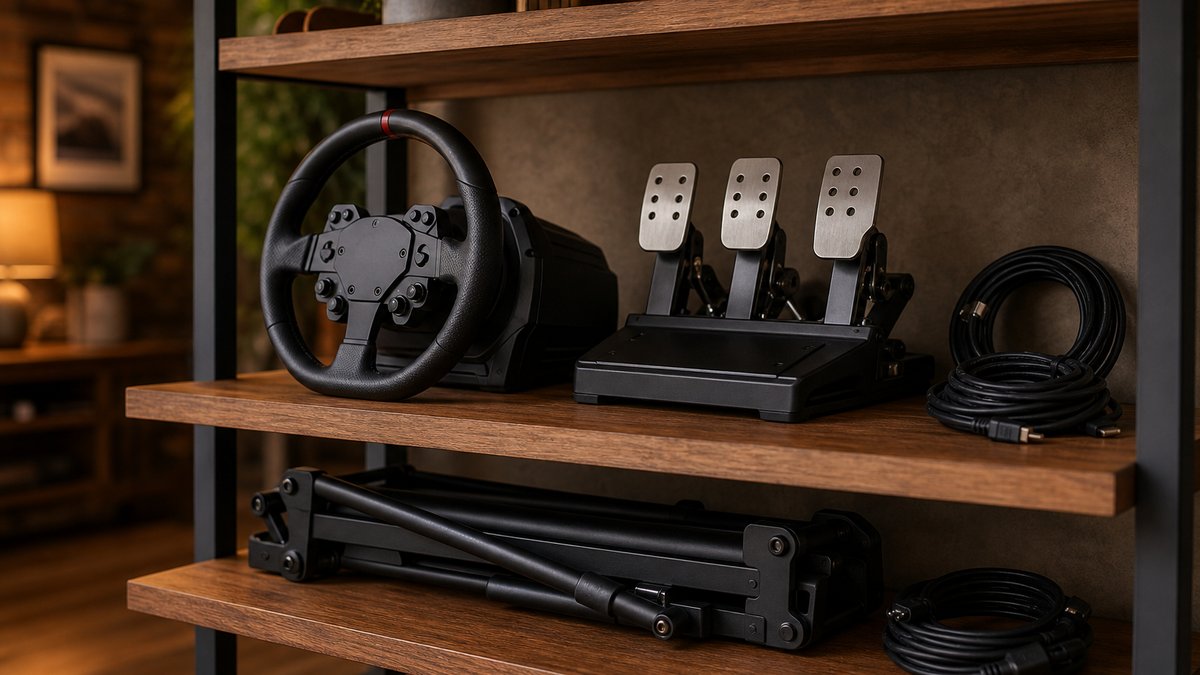
The three builds at a glance
Three example builds cover the field: a $400 starter, a $530 PC direct drive build, and a $600 full-cockpit console build. The Moza R5 bundle at roughly $399 anchors the middle option. Every number below is a typical street price, not a guarantee.
| Build | Wheel and pedals | Mounting | Typical total | Platforms |
|---|---|---|---|---|
| Starter | Logitech G29 or G920, ~$230 | Folding stand, ~$80 | ~$310 to $400 | PlayStation or Xbox, plus PC |
| Direct drive | Moza R5 bundle, ~$399 | Rigid wheel stand, ~$130 | ~$530 | PC only |
| Full cockpit | Thrustmaster T248, ~$300 | Playseat Challenge, ~$229 | ~$530 to $600 | PlayStation and PC, Xbox variant sold |
Totals leave a little slack, because tax, shipping, and cable extras always eat something. Each build also upgrades one piece at a time, so nothing bought here becomes a dead end. The sections below explain every line in that table, starting with how the money should split. Man Talk staff bring decades of combined gaming experience, including years spent on racing simulators.
How to split a $600 budget
The working split: 60 to 70 percent on the wheel and pedal bundle, 20 to 35 percent on mounting, and a small reserve. The Playseat Challenge lists at $229, which is why cockpit builds land at the top of that mounting range.
Pedals deserve more respect than they usually get. Braking consistency decides lap time far more than steering feel, a point every serious training guide repeats. The bundles in this guide all include usable pedals, so no separate pedal purchase is needed on day one. A standalone pedal set is the classic second-year upgrade instead.
Mounting is the quiet half of the budget. A wheel that shifts under hard braking teaches bad habits and kills confidence. Spending $80 to $230 on something rigid fixes that permanently. Accessories can wait, every single one of them.
What about a shifter and a handbrake?
Skip both for now. Most sim racing happens in cars with paddle shifts, and the popular titles default to them. A shifter adds $60 to $200 plus a mounting headache on day one. Buy one later, once the racing discipline that needs it has been chosen. The same logic covers button boxes, handbrakes, and haptic add-ons.
Gear, belt, or direct drive: what the terms mean
Force feedback hardware comes in three types. Gear-driven wheels, like the Logitech G29, produce just over 2 Nm of strength through motor gears. Belt and hybrid designs smooth that force out. Direct drive mounts the wheel straight onto a motor, and the Moza R5 delivers 5.5 Nm that way.
Gear drive is the oldest and cheapest system. It is noisy and a little notchy, but the feedback is real and readable. Community measurements put the Logitech G-series at roughly 2 Nm of peak strength. Belt and hybrid systems, like the Thrustmaster T248, run the motor through a belt for smoother output.
Direct drive removes everything between your hands and the motor shaft. Kerb texture, tire slip, and weight transfer come through with far more detail. That experience used to start around $700 before pedals or mounting. The Moza R5 bundle collapsed that price to $399, which reshaped every budget build conversation since.
Rotation range is the other spec that dominates listings. Budget wheels all turn 900 degrees or more, which covers road cars completely. Modern sims also cap rotation per car automatically. It is not a real differentiator at this tier and can be ignored safely.
Is direct drive worth it for a beginner?
For PC racers, yes, because the price gap has collapsed. The R5 bundle costs about $120 more than a G923 on sale. That money buys more than double the strength and much cleaner detail. For console racers the answer flips, since Moza hardware does not connect to PlayStation or Xbox. A licensed Logitech or Thrustmaster wheel remains the sensible console pick.
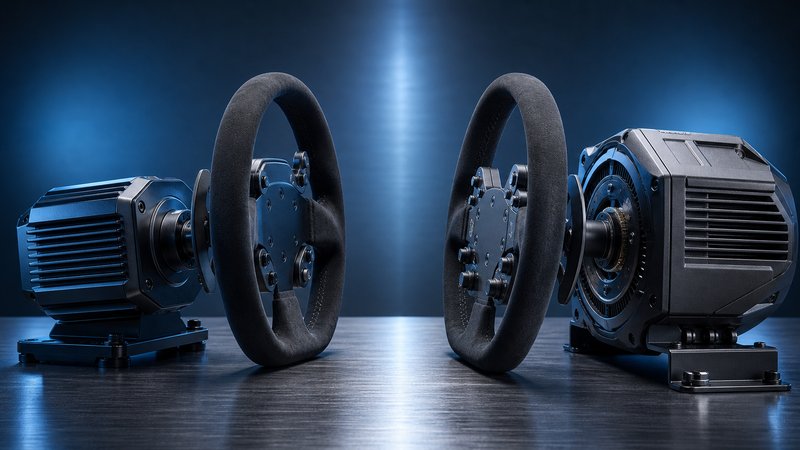
The four bundles worth shortlisting
Four bundles fit the budget: the Moza R5 near $399, the Logitech G29 or G920 near $230, and the Logitech G923 near $280 on sale. The Thrustmaster T248 rounds out the list at roughly $300. All four include pedals. Moza's smaller R3 bundle, about $279 to $339, adds a direct drive option for Xbox.
| Bundle | Typical price | Drive type | Platforms | Pedals included |
|---|---|---|---|---|
| Moza R5 bundle | ~$399 | Direct drive, 5.5 Nm | PC only | Two pedals, clutch sold separately |
| Moza R3 bundle | ~$279 to $339 | Direct drive, 3.9 Nm | PC, Xbox version available | Two pedals |
| Logitech G29 / G920 | ~$230 | Gear | PlayStation + PC / Xbox + PC | Three pedals |
| Logitech G923 | ~$280 to $350 | Gear, Trueforce | PlayStation + PC or Xbox + PC | Three pedals |
| Thrustmaster T248 | ~$300 | Hybrid belt and gear | PlayStation + PC, Xbox variant | Three pedals, magnetic sensors |
A few notes the spec table hides. The G923's Trueforce system ties feedback directly to game physics in supported titles, which sharpens the sensation of grip. The T248's pedal set uses magnetic sensors, which resist the wear that ruins cheap potentiometer pedals. The R5's two-pedal set skips the clutch, a non-issue for most racing but worth knowing. Sale timing matters too, since Logitech and Thrustmaster gear discounts heavily around holidays. The budget sim racing wheel guide compares these picks in more depth.
Stands and cockpits from $70 to $250
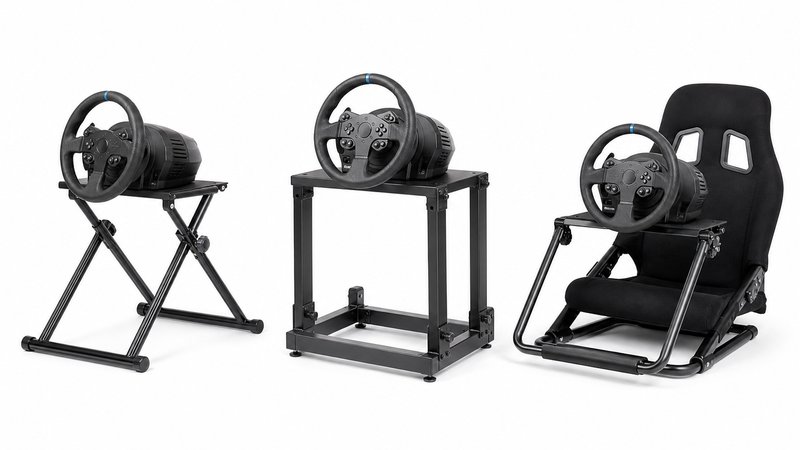
Mounting runs from generic folding stands near $70 to the Playseat Challenge cockpit at $229. The GT Omega Pro stand, typically $100 to $150, is the standard middle step. All three tiers hold a budget wheel firmly enough to race properly.
The free option is clamping the wheel to a desk. Every bundle above ships with desk clamps, and a heavy desk works fine for gear-driven wheels. The catch is flex, because hard brake pressure rocks most desks and moves the whole setup. That is tolerable while testing the hobby and annoying ever after.
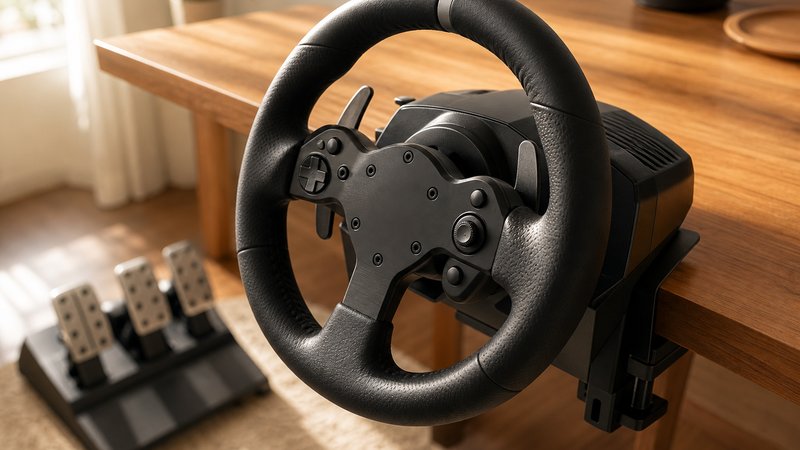
A wheel stand solves flex without claiming floor space permanently. Most fold flat, and the better ones ship pre-drilled for Logitech, Thrustmaster, and Moza bolt patterns. Confirm the drilling matches the chosen wheel before ordering, since a mismatch means drilling by hand.
A cockpit adds the seat and locks the geometry, so wheel, pedals, and hips never move relative to each other. The Playseat Challenge is the budget default because it folds away like a camping chair. Full rundowns live in the sim racing cockpits under $300 guide.
Do you need a cockpit on day one?
No. A desk clamp or a $70 stand gets a gear-driven wheel racing tonight. The cockpit earns its money once braking gets serious or a direct drive base arrives. Buying it later also means buying smarter, after seat time reveals what actually annoys you.
The $400 starter build
The starter build: a Logitech G29 or G920 near $230, a folding stand near $80, and roughly $90 held in reserve. It works on PlayStation or Xbox and on PC. Nothing else is required on day one.
The G29 has been on sale since 2015, which sounds like a weakness and is actually the point. A decade of continuous production means proven durability, universal game support, and mountains of spare parts. It includes a three-pedal set with a clutch, which no direct drive bundle at this price matches. The G920 is the same hardware with an Xbox license.
The limits are honest ones. Roughly 2 Nm of gear-driven feedback sets the ceiling, the mechanism is loud, and the brake pedal feel is basic. The classic fix is a standalone pedal upgrade later, covered in the sim racing pedals under $200 guide. The leftover $90 buys the sim itself, a USB extension, and a floor mat.
The $530 and $600 builds
The $530 build pairs the Moza R5 bundle, which packs base, wheel, and two pedals for about $399, with a rigid $130 stand. The $600 build pairs a Thrustmaster T248 near $300 with a Playseat Challenge at $229 for console racing with a real seat.
The R5 build is the strongest pure value in sim racing right now, per wide reviewer consensus. Direct drive at 5.5 Nm outmuscles everything else in this guide combined with room to spare. It also opens Moza's upgrade ecosystem, where better rims and load cell pedal upgrades bolt on later. The one hard wall: it is PC only, full stop.
The T248 build trades raw strength for a seat and console support. Hybrid drive is smoother than Logitech's gears, and the fixed seating position makes braking repeatable in a way no desk allows. The pair lands near $530 before tax, leaving slack for a game and cables inside $600. Racers with a PlayStation and a living room TV are done shopping at this point.
Buying used: the 30 to 50 percent discount
Used sim gear routinely sells 30 to 50 percent below street price, based on listing surveys across the usual markets. Facebook Marketplace, eBay, and the OverTake.gg sim racing marketplace carry steady supply. A used G29 commonly lands between $100 and $150.
Supply stays strong because sim racers upgrade compulsively and their old gear has to go somewhere. Wheels and pedals also have few wear points, so five-year-old hardware often runs like new. A patient used shopper can build the entire $400 starter rig for roughly $250.
Buying in person, test before paying. Ask for a powered demo, turn the wheel lock to lock, and listen for grinding. Press every pedal through its full travel and watch the input meter respond smoothly. Check the clamp threads, the cables, and the box of mounting bolts.
Buying online, lean on eBay's buyer protection and recent seller feedback. The one category to avoid is discontinued gear with abandoned software, since a wheel without current drivers is a paperweight. Confirm the exact model still appears in the manufacturer's current download pages before paying anyone.
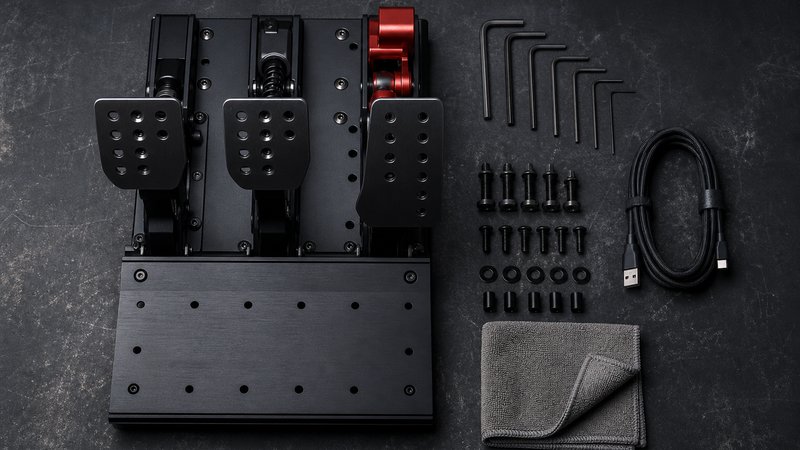
PC or console: decide before spending anything
Platform decides the shopping list. Moza hardware, including the R5 bundle, connects to PC only. Logitech and Thrustmaster sell PlayStation or Xbox licensed wheels that also work on PC. No wheel in this budget covers both consoles at once.
The console path costs less to enter. A PlayStation with Gran Turismo 7, or an Xbox with Forza Motorsport, already covers the sim side on the TV. The trade is a smaller wheel catalog and no direct drive under $600, since console licensing keeps Moza out.
The PC path opens iRacing, Assetto Corsa, and the entire modding scene, plus the R5. Popular sims also run acceptably on midrange and older hardware, so an existing computer often suffices. The honest math matters here: this $600 covers the rig, not the platform. Anyone pricing a gaming PC into the project should budget that separately and truthfully.
Screens, desks, and space
No new screen is required on day one. Consoles already run on the living room TV, and any 1080p monitor handles PC sim racing. Switching the TV to game mode cuts input lag, a documented setting on every major TV brand.
Lag matters more in racing than in most genres, because braking points arrive at 150 mph. Game mode disables the picture processing that delays inputs. Pairing a folding cockpit with the TV is the classic apartment arrangement, and it stores in a closet between sessions.
PC racers eventually want a dedicated monitor at eye level, and 1080p panels with high refresh rates now start near $120. That purchase can wait until the racing habit is proven. Desk racers should check desk depth too, since clamps need a few inches of solid overhang. Everything in the three builds either folds or clamps, so none of them claims a room.
Six first-rig mistakes that waste money
Six mistakes account for most wasted first-rig money, according to beginner guides from hardware makers and long-running community forums. Every one of them is avoidable at the shopping-list stage, before a single dollar moves.
- Buying a wheel the platform cannot use. Xbox wheels do not work on PlayStation, and Moza works on neither console except the Xbox R3. Check the license line before checkout.
- Spending everything on the wheel, nothing on the mount. A $400 wheel on a wobbly desk brakes worse than a $230 wheel on a rigid stand.
- Letting pedals slide. Pedal plates skating across carpet is among the most repeated complaints in beginner setup threads. Mount them, wedge them, or pick a stand with a pedal plate.
- Buying discontinued gear with dead software. Old wheels from abandoned product lines lose driver updates and game support. Verify current downloads exist before buying used.
- Chasing torque numbers over pedal quality. Strength headlines sell wheels, but braking consistency wins races. A balanced budget beats spec-sheet bragging.
- Buying the dream rig before the hobby sticks. Community advice is consistent: start at $600 or less, race for six months, then upgrade whatever genuinely bothers you.
Which build should you actually buy?
Buy the Moza R5 build if a gaming PC already exists. Buy the T248 and Playseat Challenge build for console racing with a proper seat. Buy the $400 Logitech build to test the hobby cheaply, or go used and cut every number by a third.
A simpler filter: match the build to the platform first and the commitment level second. Committed PC racers get the most rig per dollar in sim racing history from the R5 build. Curious beginners lose almost nothing starting with the Logitech build and upgrading later. The used market turns any of the three into a bargain for patient shoppers.
Budget gear moves fast and prices shift monthly. The Man Talk sim racing section tracks new guides as they publish, and the about page explains how recommendations get made here. Manufacturer spec sheets for the R5 and R3 bundles are published at Moza Racing's official site.
Frequently asked questions
Can one budget sim racing setup work on both PC and console?
Only if the wheel supports both. Logitech and Thrustmaster wheels carry PlayStation or Xbox licenses and also work on PC. Moza gear is PC only, so the R5 bundle cannot plug into a console. Pick the platform first, then the wheel, because no budget wheel covers PlayStation and Xbox together.
Is a direct drive wheel necessary for a first sim racing setup?
No. Gear-driven wheels like the Logitech G29 have taught thousands of racers the craft and still hold up. Direct drive is simply the best value it has ever been, since the Moza R5 bundle brings it near $400. Buy it if the budget allows and the platform is PC.
How much of a $600 budget should go to the stand or cockpit?
Plan on $100 to $250, which is roughly a quarter to a third of the budget. Cheaper folding stands near $70 work for gear-driven wheels. A stiffer stand or a Playseat Challenge makes braking far more consistent. Mounting is the part most first builds underfund, and it shows every lap.
Is buying used sim racing gear risky?
Less than it looks. Wheels and pedals have few failure points, and sellers upgrade constantly, so clean gear is common. Test force feedback and every pedal before paying in person, and use buyer protection online. Community reports put typical used savings at 30 to 50 percent off street price.